
Is My Data Safe? What the PHP Flaw Means for You
Author: Adam Collins
A critical cyber-security flaw in the PHP programming language has put millions of websites at risk. Here is what that means for your personal information, and what you can do about it.
The short answer: Is My Data Safe?
For most of the big services you use every day, almost certainly yes. Banks, email providers and large online shops have security teams whose job is to act on warnings like this one fast, and many sit behind services such as Cloudflare, which put protections against this PHP flaw in place nine hours before it was made public.
The honest answer for everything else is: it depends on the website, and you can't tell from the outside. Your risk comes down to one question you can't check yourself: did the people running each site you've used fix their servers in time?
That sounds worrying, but there is a lot you can do to make sure that even if one site is broken into, the damage stops there. That's what the rest of this guide is about.
What The PHP Flaw is, and How Fast Attackers Moved
The PHP programming language quietly builds the pages of a huge share of the world's websites, including most sites made with WordPress. On 21 October, its makers announced a critical cyber-security flaw, nicknamed PHP2Shell, and released a fix. Cloudflare had already deployed protections nine hours earlier as part of the coordinated response.
The plan was to keep the details secret until the fix was ready. It didn't work: news leaked a day early, and criminals moved fast.
Matthew Prince, the boss of internet infrastructure firm Cloudflare, wrote on X that the company saw "thousands" of attempts to exploit the PHP vulnerabilities across its network in the 10 hours before it was publicly announced. "That jumped to tens of thousands in the 45 minutes post announce." (via BBC News live)
Amazon says it spotted an attempt even earlier, on 17 October, four days before the announcement. In other words, this is not a theoretical risk. Attackers are actively trying it.
What an Attacker Can Actually do
This is not a bug that simply knocks a website over. Alan Woodward, professor at the Surrey Centre for Cyber Security, told BBC Radio 4's Today programme that the flaws mean an attacker can "get their own code onto the web server" and "basically do whatever they like".
He said that could include:
- stealing personal data held by the website;
- moving into other parts of the network behind the site;
- planting a backdoor, a hidden way back in, to return later.
On scale, he described it as serious, saying it could affect "something like 30 million websites"
That backdoor point matters for you. A site that installs the fix today may still have been entered in the days before. Amazon's researchers advise investigating from 17 October onwards, not from the announcement date. So it may be weeks before some breaches come to light.
Which of Your Data is Most at Risk
What an attacker could take depends on what each website kept about you. Typically that means:
- Account details: your name, email address, phone number and sometimes your home address and date of birth.
- Your password for that site. Well-run sites store it scrambled, but older or neglected sites may not have.
- Order and message history: what you bought, where it was sent, what you wrote.
- Card details you type in from now on. Most shops don't store full card numbers, but someone in control of a server can tamper with the checkout page to capture what you enter.
The sites most at risk are not the household names. They are small shops, clubs, forums and blogs, often built years ago and rarely maintained, because many run old versions of PHP that never got an official fix.
How Would I Know if my Data was Taken?
Often you won't know straight away. Signs to watch for over the coming weeks:
- an email from a company saying it has had a security incident (in many countries the law requires them to tell you);
- password-reset or login-alert emails you didn't ask for;
- scam messages that use your real name, address or a site you've actually used;
- your email appearing on Have I Been Pwned, a free service that lists known data breaches once they become public.
What to do Now
You can't fix other people's websites, but you can limit what a break-in at any one of them can do to you.
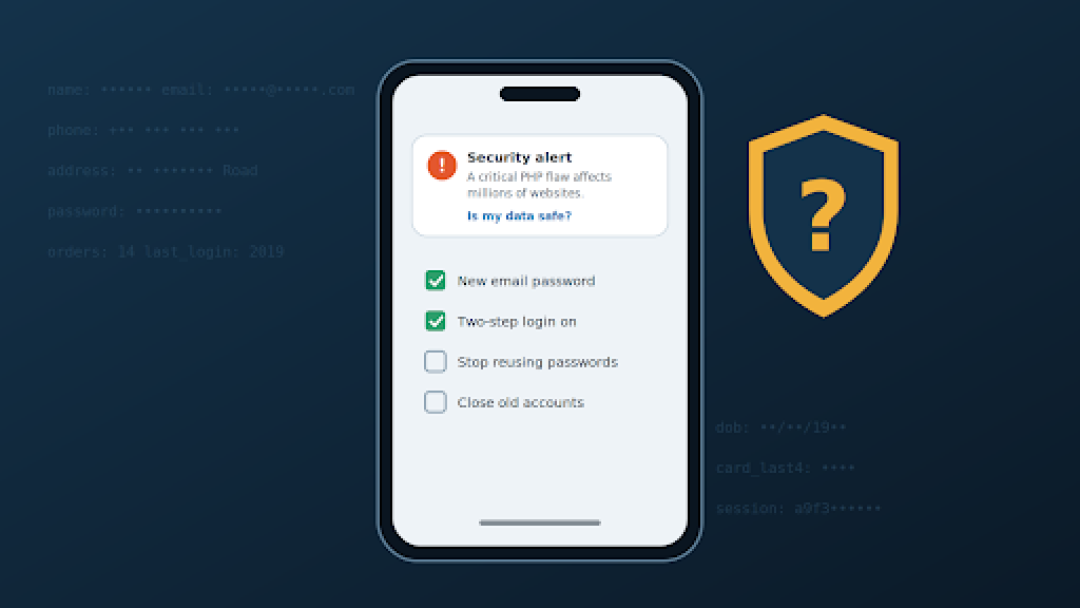
- Change your email password first, and make it one you use nowhere else. Your email can reset every other account, so it is the one that matters most.
- Stop reusing passwords. If a password you use on a small site also opens your bank or social media, change it on the important accounts now. A password manager, built into most phones and browsers, makes this painless.
- Turn on two-step login (a code by text or app) for email, banking and shopping. A stolen password alone then won't get anyone in.
- Shop with care for a few weeks. Prefer well-known shops, or pay through services such as PayPal or Apple Pay so the shop never sees your card number. Check your bank statements for anything you don't recognise.
- Close accounts you no longer use. Fewer old accounts means fewer places your details can leak from.
- Be suspicious of "urgent security" messages. Big news brings scams. Don't click links in unexpected emails or texts; go to the site yourself. For a link to a website you don't recognise, a free checker such as ScamAdviser gives a trust score based on signals like the site's age and reports from other users. Treat it as a second opinion: it can't tell you whether a genuine site has been quietly hacked.
What you Don't Need to Worry About
- Your phone and computer. This is a problem on websites' servers. There is nothing for you to install.
- Sites that went offline. Councils and government bodies switched sites off on purpose while they patched (Yahoo/PA). That is a sign of care, not of a hack.
- Anyone offering to "fix PHP2Shell" for you. There is nothing on your own device to fix, so anyone asking for remote access, a payment or your passwords to "protect" you from this is running a scam.
The Bottom Line
The PHP flaw is serious, and attackers moved on it within hours. But you are not powerless. Most of your important accounts are run by companies that move fast, and the steps above mean that even if a smaller site you once used is broken into, your email, your bank and your money stay out of reach.
Worry less about whether every website you've ever used is safe. Focus on making sure no single one of them holds the key to the rest.
Adam Collins is a cybersecurity researcher at ScamAdviser who operates under a pseudonym for privacy and security. With over four years on the digital frontlines, he specialises in translating complex threats into actionable advice. His mission: exposing red flags so you can navigate the web with confidence.
Report a Scam!

Have you fallen for a hoax, bought a fake product? Report the site and warn others!
Scam Categories
Help & Info
Top Safety Picks
Your Go-To Tools for Online SafetyDisclaimer: Some of the links here are affiliate links. If you click them and make a purchase, we may earn a commission at no extra cost to you.
- ScamAdviser App : That site looks legit. That's exactly how they get you. Modern scams are frighteningly convincing. ScamAdviser scans sites and blocks fraud calls automatically. Free on iOS & Android.
- NordVPN : NordVPN delivers powerful, seamless protection for your online life - whether you're at home, on public Wi-Fi, or traveling abroad. Recognized as one of the fastest VPN services available, it combines lightning-fast speeds with advanced encryption to keep
- Incogni : Incogni automatically removes your personal data from data brokers that trade in personal information online, helping reduce scam and identity theft risks without the hassle of manual opt-outs. Reclaim your privacy now!
- Private Internet Access (PIA) : PIA gives you a no-logs VPN built on the latest encryption standards and WireGuard protocol — meaning your browsing activity stays yours alone. Fast, private, and transparent. Take back your privacy today!
- Surfshark VPN : One subscription, unlimited devices. Surfshark is the fastest VPN out there — covering your phone, laptop, tablet and more with a stable, secure connection for browsing, streaming and working. Get Surfshark now!
- Proton VPN : Independently audited and built with a strict no-logs policy, Proton VPN is trusted by over 3 million users worldwide. It’s been named Best VPN by Wired, PCMag, and Vice—offering strong encryption for anyone who takes their privacy seriously. Give Proton
- Mysterium VPN : MysteriumVPN gives you real privacy without relying on a single company to protect it. Built on a decentralized network of independent nodes across the globe, it hides your traffic from ISPs, trackers, and the VPN provider itself. Choose data center IPs f
Popular Stories
In a nutshell: A good VPN protects your privacy with strong encryption, a strict no-logs policy, and fast protocols like WireGuard. The best VPNs also offer wide server coverage, leak protection, and easy-to-use apps for all devices. For 2025, the top providers are NordVPN, ExpressVPN, Surfshark, Proton VPN, Private Internet Access, CyberGhost, and Mullvad—each excelling in speed, security, or value. In an age where every click is tracked, a Virtual Private Network (VPN) is no longer just a luxury—it's an essential tool for digital privacy and security. A VPN works by creating a secure, encrypted tunnel between your device and the internet, masking your real IP address and protecting your sensitive data from prying eyes. But with hundreds of providers out there, how do you sort the secure from the suspect? This guide breaks down the non-negotiable features of a quality VPN and highlights the 7 top-rated services for 2025. What to Look for in a Good VPN: The 4 Non-Negotiable Pillars 1. Ironclad Security Features Strong Encryption: AES-256, the gold standard. Secure Protocols: OpenVPN, WireGuard, NordLynx, Lightway. Avoid PPTP. Kill Switch: Ensures no accidental IP leaks. Leak Protection: Covers DNS, IPv6, and WebRTC. 2. Verified Privacy Practices No-Logs Policy: No activity or metadata tracking. Independent Audits: Verification by third parties. Safe Jurisdiction: Prefer countries outside the 5/9/14 Eyes alliances. 3. High-Speed Performance Fast Protocols: WireGuard and equivalents. Large Server Network: Less crowding, more reliable speeds. 4. Essential Usability Features Multi-Device Apps: Windows, Mac, iOS, Android, routers. Simultaneous Connections: One account, many devices. Unblocking Power: Netflix, Hulu, BBC
This article has been updated by Jamie James on June 9 with the latest data and analysis we have found using real user reports and experiences submitted to ScamAdviser. Just received that terrifying notification? Or perhaps you've noticed suspicious activity in your accounts? Take a deep breath. Your email, password, phone number, home address, payment details, or identity documents may now be in places you cannot control. But the next steps do not have to be confusing. What matters most is how quickly you act, order, and know which exposed data creates the biggest risk. This guide explains what to do after a data breach, how to check the damage, and how to protect yourself from identity theft, account takeover, and follow-up scams. Quick Summary Verify the data breach notice through the company’s official website before clicking any links. Secure your primary email account first because it controls many password resets. Change the exposed password and every reused or similar password. Enable multi-factor authentication on email, banking, payment, cloud, and social accounts. Contact your bank or card issuer if payment or bank account details were exposed. Freeze or protect your credit if sensitive identity information was compromised. Watch for phishing messages, fake refund offers, and scam websites that use your leaked details. Starting with Data Breach Numbers The numbers don't lie: according to a 2024 report, the number of data breach victim notices has grown by a staggering 211% year-over-year. This isn't just a distant threat; it's a stark reality many individuals fa