
July 4th Costco Survey, Walmart Gift Card, Netflix, and Gmail: Top Phishing Scams of the Week

Author: Trend Micro
This article is from Trend Micro.
Gmail: Top Phishing Scams of the Week
This week we’ve found a large number of scams that you need to watch out for, including ones
relating to the 4th of July, Costco, Walmart, Netflix, and Gmail. Would you have been able to
spot all the scams?
What Is Phishing
Conventionally, while impersonating famous brands, scammers send out fake text messages
and emails containing phishing links and try to entice you into opening them with various lies.
The links lead you to online survey pages that state you can claim a gift by filling out an online
questionnaire. After you complete the questionnaire, you are prompted to enter credit card
details before your “gift” can be delivered. Here are some examples:
Fourth of July Scams
To scammers, the 4th of July is not only a holiday; it’s a time when they create fake campaigns
and phishing survey pages to trick people:
#1 Costco
- Happy 4th of JuIy from your IocaI C 0 S T C 0 ! Here’s 500 bucks to spend & a
compIimentry membership this week-end: <URL>
Do you believe in free money? If you fall for this scam and click on the attached link, you will be
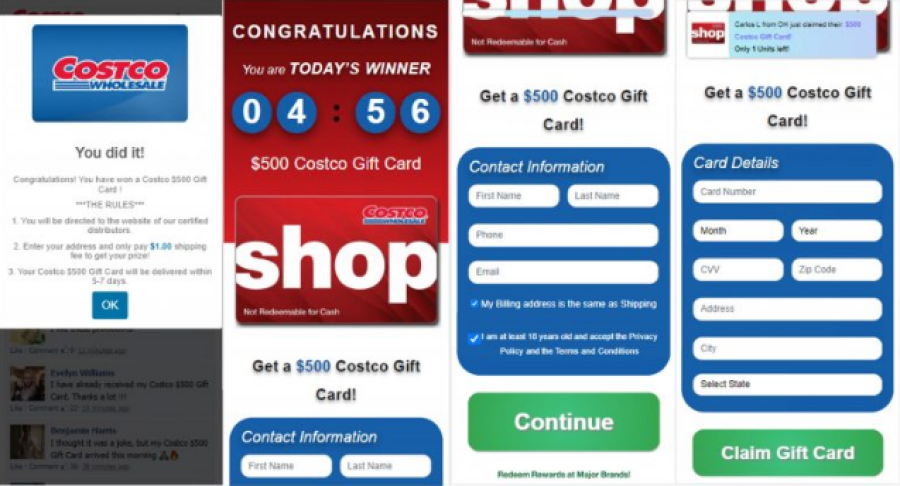
taken to a fake Costco survey page. The pages say that you can win a Costco gift card after you
complete the survey:
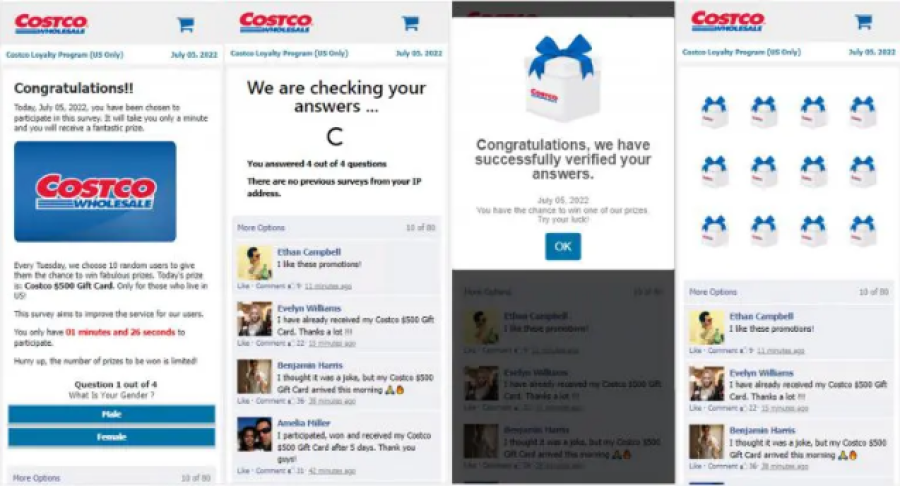
After that, you will be asked to enter personal information, including your name, email address, and even credit card details. Of course, there will be no gift card, and your credentials could end up in scammers’ hands!
#2 Walmart
Similar tactics apply in the recent Walmart text scams. As we’ve talked about several times before, scammers pose as Walmart and prompt you to join in on their “4th of July Special” and win a gift via the attached phishing link:
- The W a I m a r t 4th of JuIy Special! Get 25O bucks, to use this week-end pIus a GlFT if you visit here now <URL> Stop to end
Again, the link takes you to a Walmart phishing page where you could end up exposing your credentials. Don’t get scammed!
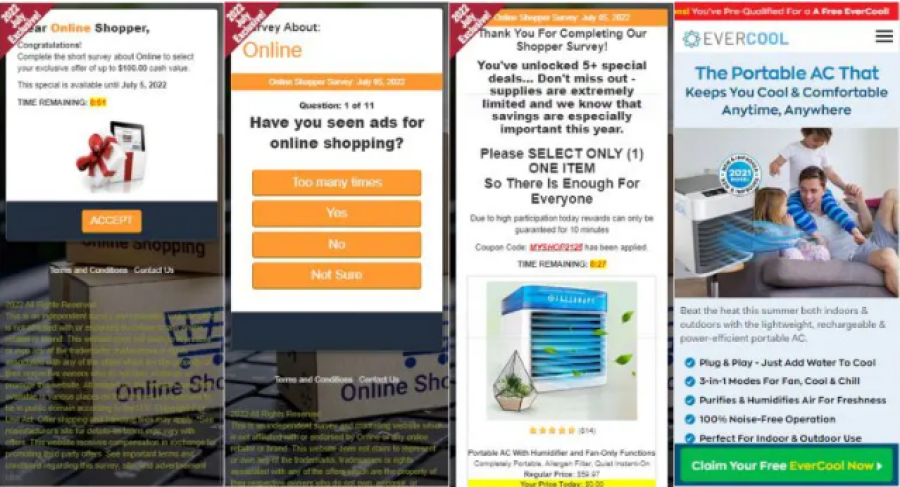
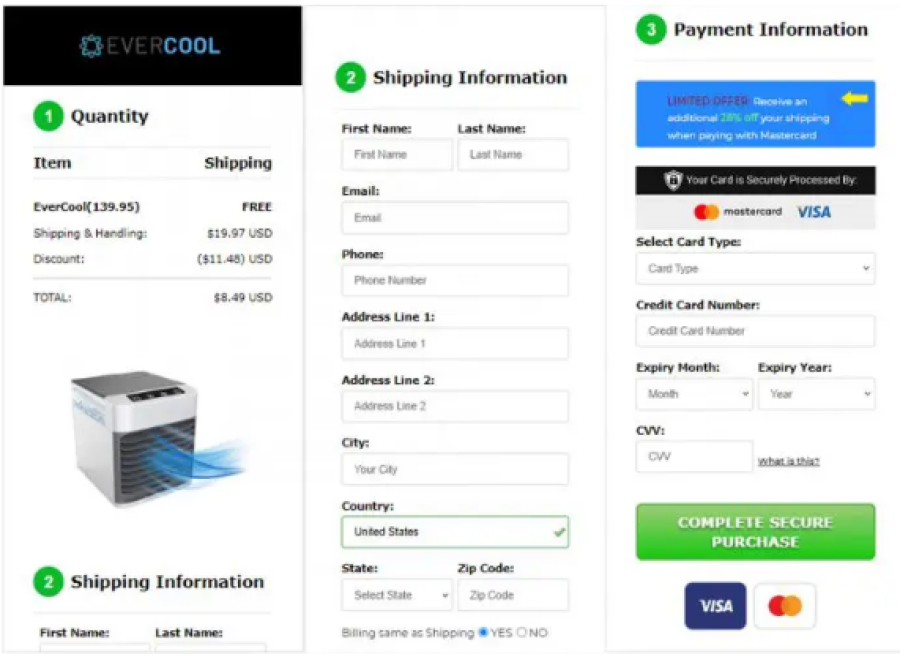
Scammers’ ultimate goal is to steal your personal information! They’ll record everything you enter on their fake pages and use it to commit cybercrimes: e.g., hack into your account or steal your identity. Don’t let them!
Surf the web safely with Trend Micro Check (it’s free!)
Trend Micro Check is a browser extension and mobile app for detecting scams, phishing attacks, malware, and dangerous links — and it’s FREE!
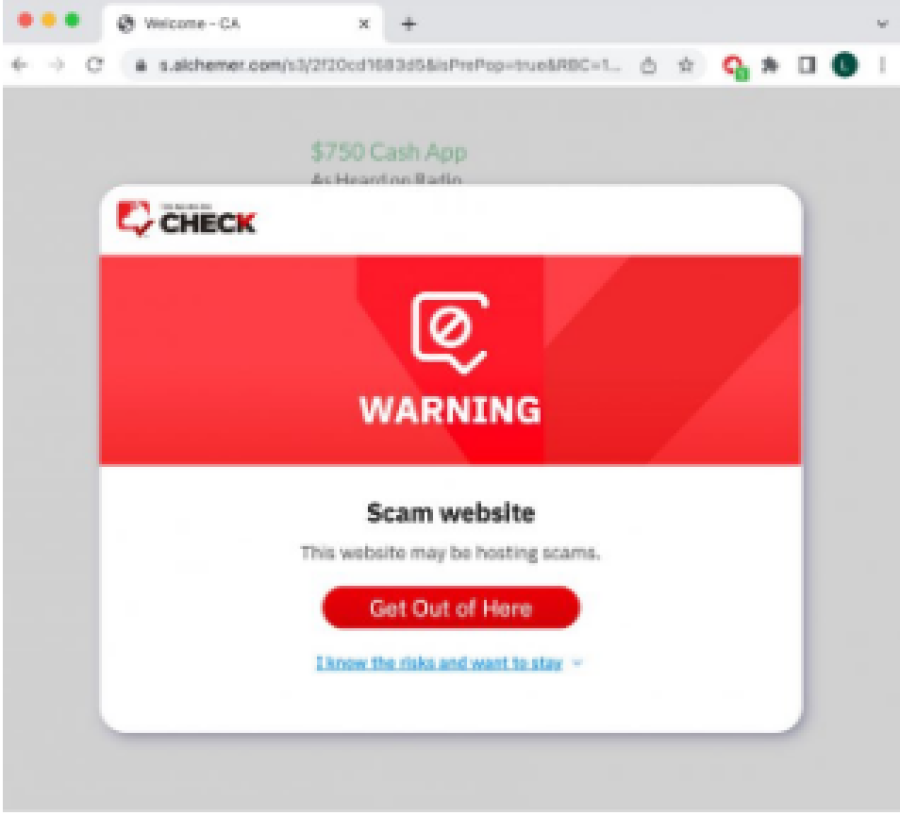
After you’ve pinned the Trend Micro Check extension, it will block dangerous sites automatically! (Available on Safari, Google Chrome, and Microsoft Edge).
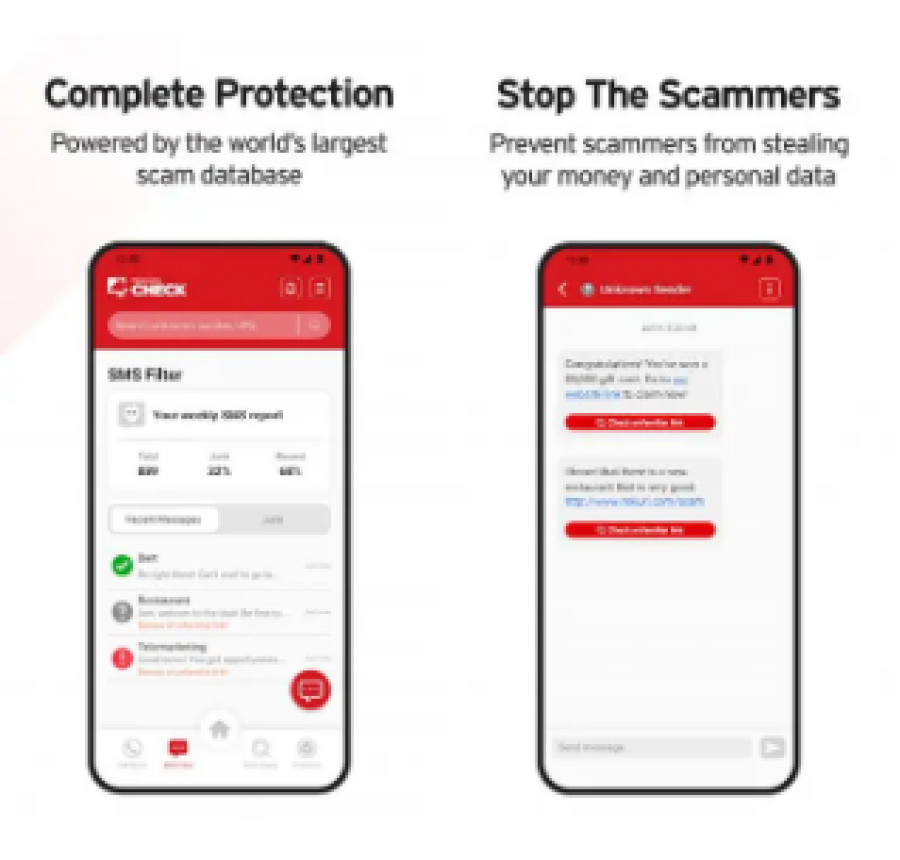
You can also download the Trend Micro Check mobile app for 24/7 automatic scam and spam detection and filtering. (Available for Android and iOS).
Check out this page for more information on Trend Micro Check.
As mentioned earlier, phishing scams not only circulate via text messages; they also spread via
emails:
Netflix Survey Scam
We’ve detected Netflix scam emails many times, and this week they’re back again! Promising
you an exclusive reward, scammers lure you into clicking on the embedded button to take an
online survey:
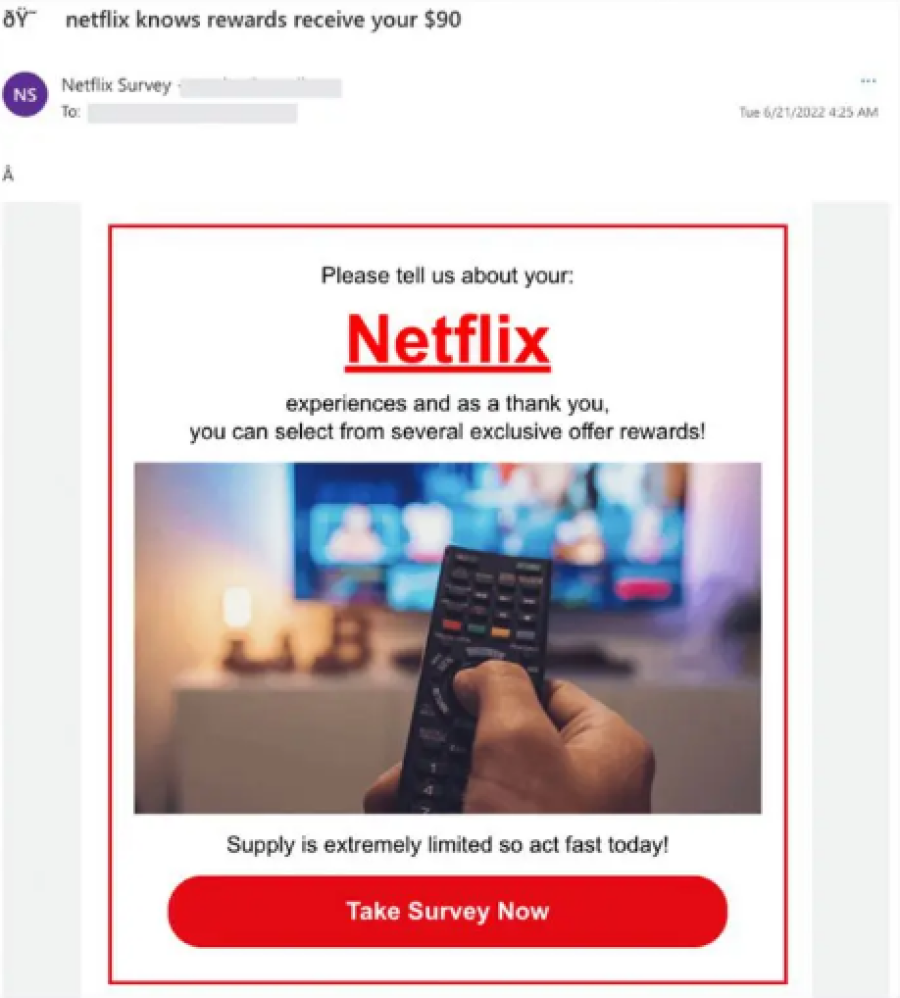
The button will lead you to a fake Netflix survey page (actually a phishing page), and you already know what will happen. Don’t submit any sensitive information here!
Phishing links will also take you to fake log-in pages that appear to belong to various brands. These pages require you to submit log-in credentials to download a software update, change account settings, or whatever other tasks the scammers have asked you to complete.
Mail Server Phishing Scam (Gmail)
Last week we spotted bogus emails pretending to be from various mail servers. This week, there were a lot more similar phishing attempts. Using various excuses like requests to clear up storage or security alerts, scammers instruct you to click on the embedded buttons:
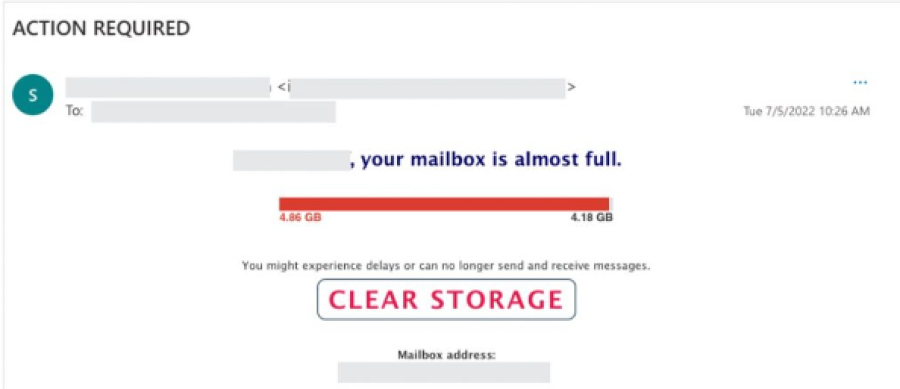
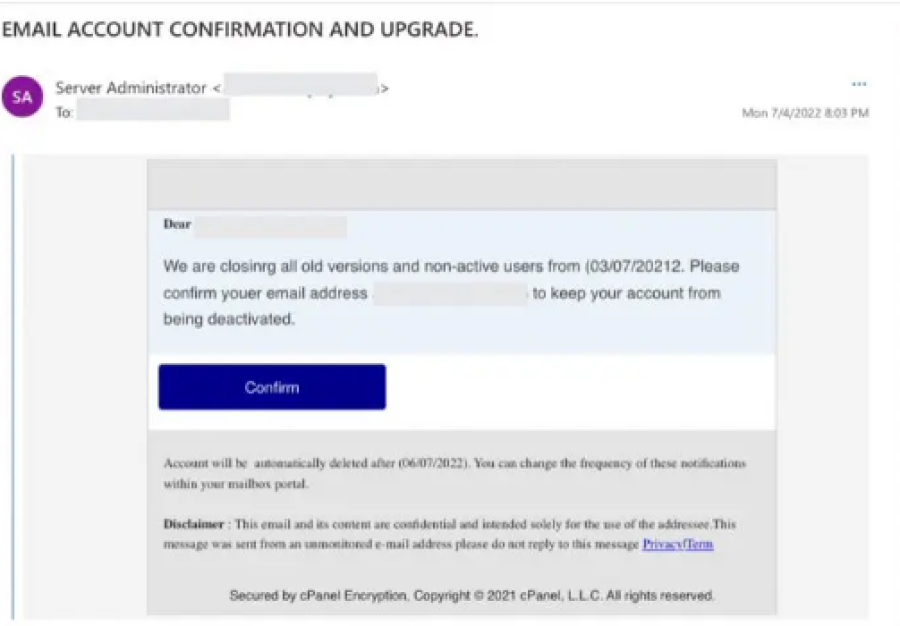
These buttons will take you to a fake log-in page, impersonating your mail server. Remember, don’t enter your log-in credentials because scammers just want to hack into your account!
How to Protect Yourself
- Double-check the sender’s mobile number/email address.
- Free gifts and prizes are always a major red flag.
- Go to the official website/application instead of using links from unknown sources.
- Never click on links or attachments from unknown sources. Use Trend Micro Check to surf the web safely (it’s free!).
- Add an extra layer of protection to your devices with Trend Micro Maximum Security. Its Web Threat Protection, Ransomware Protection, Anti-phishing, and Anti-spam Protection can help you combat scams and cyberattacks. Click the button below to give it a try:
As ever, if you’ve found this article an interesting and/or helpful read, please do SHARE it with friends and family to help keep the online community secure and protected.
Source: Pexels.com
Report a Scam!

Have you fallen for a hoax, bought a fake product? Report the site and warn others!
Scam Categories
Help & Info
Top Safety Picks
Your Go-To Tools for Online Safety
- ScamAdviser App - iOS : Your personal scam detector, on the go! Check website safety, report scams, and get instant alerts. Available on iOS
- ScamAdviser App - Android : Your personal scam detector, on the go! Check website safety, report scams, and get instant alerts. Available on Android.
- NordVPN : NordVPN keeps your connection private and secure whether you are at home, traveling, or streaming from another country. It protects your data, blocks unwanted ads and trackers, and helps you access your paid subscriptions anywhere. Try it Today!
Popular Stories
As the influence of the internet rises, so does the prevalence of online scams. There are fraudsters making all kinds of claims to trap victims online - from fake investment opportunities to online stores - and the internet allows them to operate from any part of the world with anonymity. The ability to spot online scams is an important skill to have as the virtual world is increasingly becoming a part of every facet of our lives. The below tips will help you identify the signs which can indicate that a website could be a scam. Common Sense: Too Good To Be True When looking for goods online, a great deal can be very enticing. A Gucci bag or a new iPhone for half the price? Who wouldn’t want to grab such a deal? Scammers know this too and try to take advantage of the fact. If an online deal looks too good to be true, think twice and double-check things. The easiest way to do this is to simply check out the same product at competing websites (that you trust). If the difference in prices is huge, it might be better to double-check the rest of the website. Check Out the Social Media Links Social media is a core part of ecommerce businesses these days and consumers often expect online shops to have a social media presence. Scammers know this and often insert logos of social media sites on their websites. Scratching beneath the surface often reveals this fu
Disclaimer: This article was originally published in 2018 and has been updated in October 2025 to reflect more current information, resources, and advice. Scams and recovery options continue to evolve, so always double-check with your bank, payment provider, or local consumer protection authority for the latest guidance. So the worst has come to pass - you realise you parted with your money too fast, and the site you used was a scam - what now? Well first of all, don’t despair!! If you think you have been scammed, the first port of call when having an issue is to simply ask for a refund. This is the first and easiest step to determine whether you are dealing with a genuine company or scammers. Sadly, getting your money back from a scammer is not as simple as just asking. If you are indeed dealing with scammers, the procedure (and chance) of getting your money back varies depending on the payment method you used. PayPal Debit card/Credit card Bank transfer Wire transfer Google Pay Bitcoin PayPal Good news: PayPal gives you strong protection. You can file a dispute within 180 days of your purchase. You can get a refund if: Your order never arrives, and the seller cannot provide proof of delivery. The scammer sends you something completely different (e.g., a controller instead of a PlayStation). The product condition was misrepresented (sold as new but arrives used). The item is missing undisclosed parts. The item is counterfeit. Start your claim directly through Pay